

Learn how to compare small business web designers, pricing, portfolios, SEO, support, and contracts before choosing the right website design service.
Choosing a website designer sounds simple until you actually start comparing providers. One company may promise a beautiful website for a few hundred dollars, another may quote several thousand, and a third may talk about SEO, conversions, branding, hosting, and ongoing maintenance. For a busy small-business owner, it can quickly become difficult to tell what you actually need and what you are simply being sold.
The biggest mistake is treating a website as a one-time decoration for your business. Your website can become the place where potential customers learn about your services, compare you with competitors, request a quote, book an appointment, call your business, buy products, or decide whether they trust you enough to take the next step. The U.S. Small Business Administration also describes a website as an important way for businesses to reach customers and establish credibility online.
That does not mean you need the most expensive small business website design package available. You need the right solution for your goals, customers, budget, industry, and future plans.
So, how do you choose the best website design service for a small business without wasting money? Start by understanding what your business actually needs, then evaluate designers based on their experience, portfolio, technical standards, communication, ownership policies, pricing, and post-launch support.
Why Your Choice of Website Design Service Matters
A website can look impressive and still be a poor business tool. Imagine a roofing company with a gorgeous homepage but no obvious phone number, a restaurant with a slow menu page, or a dentist whose appointment form doesn’t work properly on a smartphone. The visual design might be attractive, but the website is failing at the job it was hired to do.
A good business website should make it easy for the right visitor to understand three things quickly: what you do, who you help, and what they should do next. That might mean calling a plumber, requesting an estimate from a contractor, booking a dental appointment, visiting a restaurant, or purchasing something from an e-commerce store.
Technical quality matters too. Google recommends responsive design and currently uses mobile-first indexing, meaning the mobile version of a site is used for indexing and ranking. Google also recommends paying attention to page experience, security, mobile usability, and Core Web Vitals.
That is why choosing a website design company should not be based solely on screenshots. You are choosing someone who will influence your online presence, customer journey, website performance, and potentially your future marketing costs.
Know What Your Business Actually Needs Before Hiring a Designer
Before contacting a website design company for a small business, spend a little time defining what the website needs to accomplish. Otherwise, you may receive proposals full of technical terminology without knowing which services actually matter.
Think of website planning like hiring a contractor to renovate a building. You would not simply say, “Make it look nice.” You would explain how the space will be used, who will use it, what rooms are required, and what your budget looks like. Your website deserves the same level of planning.
Define Your Website Goals
Start with one simple question: What do I want visitors to do?
A local plumber may want visitors to call or request an estimate. A law firm may want potential clients to schedule consultations. A restaurant might want online reservations and directions. An ecommerce company may need customers to browse products, add items to a cart, and complete secure payments.
Your goal could include:
- Generating phone calls
- Getting quote requests
- Booking appointments
- Selling products
- Building an email list
- Educating potential customers
- Establishing credibility
- Supporting local SEO
- Generating leads
- Providing customer support
You can have several goals, but identify the primary one. This helps the designer create appropriate calls to action, page layouts, navigation, and conversion paths.
Identify Your Target Customers
A website for a roofing company should not communicate exactly like a website for an accounting firm. Your audience matters.
Think about what your customers already know, what problems they have, what questions they ask, and what makes them hesitate before buying. A local HVAC customer may want emergency service, transparent service information, phone contact, reviews, and service-area details. A consulting company may need case studies, expertise pages, downloadable resources, and a consultation form.
Give your designer information about your audience before the project begins. The more clearly the designer understands your customers, the easier it becomes to create useful UX design, messaging, navigation, and page structure.
Decide Which Features You Need
Make a basic feature list before requesting a quote. You don’t need to know the technical solution; simply describe what the website must do.
For example, you might need:
- Contact forms
- Click-to-call buttons
- Online booking
- Online payments
- Ecommerce functionality
- Google Maps integration
- Testimonials and reviews
- Service-area pages
- Blog functionality
- Landing pages
- Social media integration
- Analytics
- Newsletter signup
- Customer login
A small cleaning company may only need five to eight well-designed pages. An online store could require substantially more planning because products, inventory, checkout, payments, shipping, customer accounts, and security are involved.
The goal is to avoid paying for features you will never use while also avoiding a cheap package that leaves essential functionality out.
Determine Your Budget
You do not need to disclose your absolute maximum budget immediately, but you should have a realistic range in mind.
Website pricing depends on scope. A simple brochure-style site is fundamentally different from a custom ecommerce platform or a website with booking, membership, integrations, and complex functionality.
When comparing small business website design cost, ask what is included rather than comparing the final number alone. A $1,500 quote and a $3,500 quote are not really comparable if one includes copywriting, SEO setup, analytics, training, revisions, and support while the other includes only the basic design and installation.
What to Look for in a Small Business Website Design Service
Once you know what you need, evaluate providers using the same criteria. This makes it much easier to compare a freelancer, local web designer, or larger agency without getting distracted by sales language.
Relevant Experience and a Strong Portfolio
A designer does not necessarily need to have built a website for your exact industry. However, relevant experience is valuable.
If you own a dental practice, look for examples demonstrating professional service businesses. If you operate a restaurant, examine whether the designer understands menus, reservations, locations, mobile browsing, and visual presentation. If you run a contractor business, look for examples involving services, project galleries, estimates, reviews, and lead generation.
Do not just ask, “Do you have a portfolio?” Ask to see relevant examples.
Then inspect those websites yourself.
Are they easy to navigate? Do they work properly on your phone? Is the contact information obvious? Do pages load reasonably quickly? Does the design look customized to the business, or does every site appear to use the same template?
A portfolio tells you much more than a sales pitch.
Mobile, SEO, Performance, and Technical Quality
A modern website needs more than attractive colors and typography.
Ask how the provider handles:
- Responsive design
- Mobile-first considerations
- Page speed optimization
- Image optimization
- Basic technical SEO
- Metadata
- Website structure
- Search engine crawlability
- HTTPS
- Core Web Vitals
- Analytics
- Search Console
- Redirects during redesigns
Google states that responsive design is its recommended configuration for mobile sites, and its current documentation emphasizes mobile usability and mobile-first indexing.
Performance should also be part of the conversation. Google’s Core Web Vitals focus on loading performance, responsiveness, and visual stability, with metrics such as LCP, INP, and CLS used to assess real-world user experience.
That does not mean your designer should promise a perfect score or guaranteed Google rankings. It means the website should be built with performance and usability in mind.
User Experience, Security, Accessibility, and Support
Good user experience is often invisible when it works well. Visitors simply find what they need without thinking about the navigation.
A designer should think about page hierarchy, readable text, logical menus, obvious buttons, useful forms, and a smooth customer journey.
Security is another area where cutting corners can become expensive later. Ask whether HTTPS, SSL configuration, backups, software updates, security monitoring, and appropriate access controls are included.
Accessibility deserves attention too. WCAG 2.2 provides a widely used framework for making web content more accessible, covering areas such as perceivability, operability, understandability, and compatibility.
Finally, ask what happens after launch. A website is not necessarily finished forever when it goes live. Content changes, plugins require updates, business information changes, security issues emerge, and new features may eventually be needed.
A provider offering clear website maintenance, updates, backups, and support can be more valuable than someone who disappears immediately after launch.
Freelancer vs. Web Design Agency: Which Is Better?
There is no universal winner in the freelancer vs web design agency debate. The right choice depends on the size and complexity of your project.
| Factor | Freelancer | Web Design Agency |
|---|---|---|
| Typical communication | Often direct | Usually through a project manager or team member |
| Pricing | Often lower | Often higher |
| Personal attention | Can be high | Depends on agency size |
| Team expertise | May depend on one person | Multiple specialists may be available |
| Scalability | Can be limited | Usually easier to scale |
| Project management | Varies | Often structured |
| Long-term support | Varies widely | Often available as a formal service |
| Custom functionality | Depends on skills | More likely to have specialist resources |
A freelancer can be an excellent choice for a local restaurant, consultant, photographer, cleaning company, or small service business with a straightforward project. Direct communication can also make the process faster.
An agency may make more sense when you need branding, UX, development, content, SEO, ecommerce, integrations, paid marketing, or ongoing support from several specialists.
The key is not the label. Judge the person or team actually doing the work.
How Much Does Small Business Website Design Cost?
There is no single price that represents the “normal” cost of a small business website. A simple informational site, a custom business website, an ecommerce store, and a complex lead-generation platform have very different requirements.
Your website design pricing can be influenced by:
- Number of pages
- Custom design requirements
- Template or custom development
- Copywriting
- Photography and graphics
- SEO
- Ecommerce
- Booking systems
- Payment processing
- Third-party integrations
- Hosting
- Domain services
- Maintenance
- Security
- Content migration
- Website redesign requirements
- Ongoing support
When reviewing a website design quote, request an itemized proposal. You should understand what you are paying for, what is excluded, how revisions work, and what recurring costs will continue after launch.
Be especially careful with extremely cheap website design offers that appear comprehensive but leave important services out. A low upfront price can become expensive if you later discover that basic updates, hosting, content changes, SEO configuration, or functionality require additional payments.
The better question is not, “Who is cheapest?”
Ask, “Which proposal gives my business the right website for the money I am investing?”
What Should a Professional Small Business Website Include?
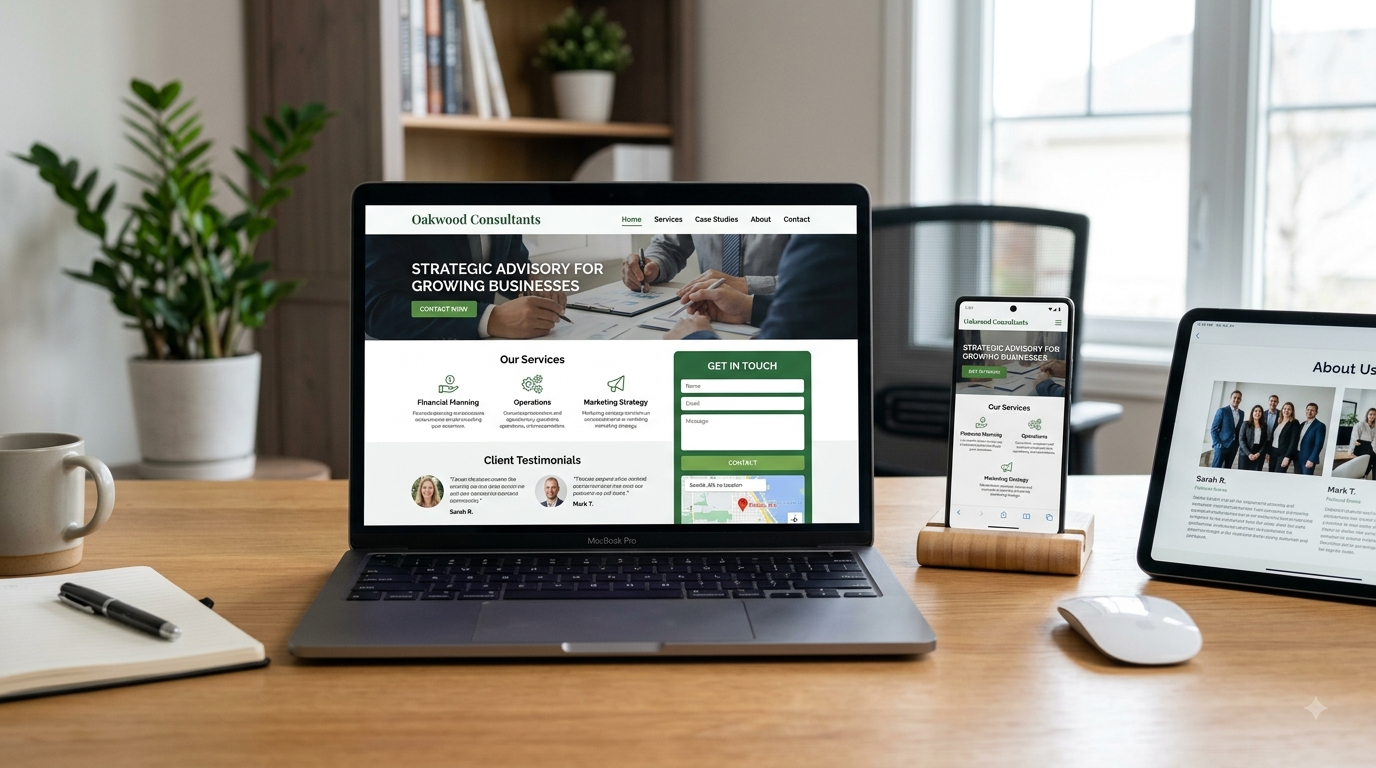
A professional business website does not need dozens of pages to be effective. It needs the right pages, useful information, strong structure, and a clear path toward action.
For many businesses, the core structure includes:
Homepage: Explain what the company does, who it serves, where it operates, and what visitors should do next.
Service or product pages: Give each major service or product enough space to explain the value, process, benefits, and next step.
About page: Introduce the business, people, experience, values, and relevant background.
Contact page: Make contacting the company simple. Include phone, email, form, location, hours, and other relevant information.
Testimonials and reviews: Social proof can help visitors evaluate an unfamiliar business.
FAQ page: Address common questions that could otherwise prevent a customer from contacting or buying.
Privacy policy and legal pages: Include appropriate legal information for your business and jurisdiction, with professional legal advice where necessary.
The SBA has similarly highlighted core pages such as the homepage, About page, Products/Services pages, and Contact page as important components for small business websites.
Beyond the pages themselves, the website should be responsive, secure, reasonably fast, easy to navigate, accessible, and connected to appropriate analytics tools.
For SEO, make sure the provider understands the difference between building an SEO-ready website and promising SEO results. Google explicitly notes that meeting its technical requirements and best practices does not guarantee crawling, indexing, or ranking.
Questions to Ask Before Hiring a Web Designer or Agency
A good proposal is useful, but the questions you ask before signing can reveal even more.
Ask:
- Have you worked with businesses similar to mine?
- Can I see relevant live websites you have built?
- What exactly is included in the quoted price?
- How many pages are included?
- Is content writing included?
- Is mobile optimization included?
- What SEO work is included?
- Who owns the website after launch?
- Who owns the domain name?
- Will I receive administrator access?
- What CMS will the website use?
- Can I update basic content myself?
- How many design revisions are included?
- What is the estimated timeline?
- What happens if the project takes longer?
- Do you provide hosting?
- What does hosting cost after the first year?
- Do you provide maintenance and backups?
- What happens if I decide to leave your service?
- Will you provide the website files and access credentials?
The ownership question deserves special attention. Your business should not become trapped because someone else controls your domain, hosting account, CMS, or essential website assets.
If a provider becomes uncomfortable when you ask about ownership and access, treat that as a warning sign.
Website Design Red Flags Small Businesses Should Avoid
One of the easiest ways to choose a better provider is to recognize bad signs early.
Be cautious when a company promises guaranteed #1 Google rankings. No legitimate website designer can control Google’s organic results.
Be cautious when a provider has no portfolio, refuses to show live examples, or only displays attractive screenshots without allowing you to inspect actual websites.
Extremely vague pricing is another concern. A proposal that says “professional website — $2,000” without explaining pages, functionality, revisions, ownership, hosting, support, or deliverables leaves too many unanswered questions.
Watch for providers who refuse to explain who owns your domain or website. Your domain is a critical business asset, and you should understand exactly where it is registered and who controls it.
Other warning signs include:
- No written agreement
- Unlimited promises with no defined scope
- No mobile optimization
- No security or backup plan
- Poor communication before the project even begins
- Pressure to pay immediately
- Copied designs presented as custom work
- No clear revision policy
- No post-launch support
- Hidden recurring charges
- Guaranteed traffic or sales
- Guaranteed search rankings
A good web designer does not need to make unrealistic promises. They should be able to explain the work, limitations, timeline, risks, and expected deliverables clearly.

How to Compare Website Design Companies
Once you have three or four candidates, create a simple comparison sheet. Don’t choose based on price alone.
Score each provider from 1 to 5 on:
| Evaluation Area | What to Check |
|---|---|
| Industry experience | Relevant projects and understanding of your business |
| Portfolio | Quality, variety, usability, and real-life examples |
| Communication | Responsiveness and clarity |
| Strategy | Understanding of your goals and customers |
| Design | Visual quality and brand alignment |
| UX | Navigation, structure, forms, and customer journey |
| Mobile | Responsive behavior across devices |
| SEO | Technical foundation and search-friendly structure |
| Performance | Speed, image optimization, and Core Web Vitals awareness |
| Security | HTTPS, backups, updates, and access controls |
| Ownership | Domain, hosting, CMS, files, and administrator access |
| Support | Maintenance, updates, troubleshooting, and availability |
| Pricing | Clear scope and predictable costs |
| Timeline | Realistic milestones and launch expectations |
| Contract | Clear responsibilities, revisions, payments, and exit terms |
This framework also helps when comparing a DIY website vs professional website, a website builder vs a web designer, or a local web designer vs an online agency.
DIY platforms can be perfectly reasonable for a new freelancer, simple side business, or entrepreneur testing an idea. If your needs are straightforward and you are comfortable managing the site, doing it yourself may save money.
Professional help becomes more valuable when the website directly affects lead generation, customer trust, ecommerce revenue, local search visibility, or complex business operations.
The same principle applies to templates versus custom websites. A template is not automatically bad. A well-configured template can produce a professional site. The real question is whether the final website meets your business requirements and gives customers a good experience.
Get the Best Value, Not Simply the Lowest Quote
The cheapest website can be the most expensive if it has to be rebuilt six months later.
Suppose a landscaping company accepts an unusually low quote. The site looks acceptable at launch, but the company later discovers that it cannot easily add service pages, the designer owns the hosting account, the contact form needs paid upgrades, and no one is available for maintenance.
The original bargain suddenly looks very different.
Instead, consider the total cost of ownership. Include the initial project, hosting, domain, maintenance, content updates, premium software, integrations, SEO work, and potential redesigns.
A good website design service should give you a sensible foundation that can grow with the business.
Use a Simple Selection Checklist
Before signing a contract, make sure you can answer “yes” to most of these:
- The provider understands my business goals.
- I reviewed relevant live portfolio examples.
- The website will work well on mobile devices.
- The proposal clearly explains the scope.
- I understand the total initial and recurring costs.
- I know who owns the domain.
- I will have appropriate website access.
- SEO expectations are realistic.
- Security and backups have been discussed.
- The website will be reasonably easy to maintain.
- The revision process is clearly defined.
- The launch timeline is realistic.
- Post-launch support is explained.
- The contract is written clearly.
- I feel comfortable communicating with the provider.
If a designer checks all those boxes but costs slightly more than another provider, don’t automatically dismiss them. You may be paying for better planning, stronger communication, better technical execution, and lower risk.
Final Thoughts
Choosing the best website design service for a small business is less about finding the person with the flashiest portfolio and more about finding the right fit for your business.
Start with your goals. Understand your customers. Decide what the website actually needs to do. Then compare providers based on experience, portfolio quality, mobile responsiveness, SEO knowledge, performance, usability, security, accessibility, ownership, pricing, communication, and ongoing support.
Don’t assume that a large agency is automatically better than a freelancer, or that a freelancer is automatically better because they charge less. Don’t assume WordPress is always the right answer, and don’t assume a custom website is necessary simply because someone uses the word “custom” in a sales pitch.
The right solution is the one that solves your business problem without creating unnecessary complexity.
Most importantly, think beyond launch day. A website should be an asset your business can manage, improve, and build upon. If the person or company you hire can explain their decisions clearly, understand your customers, provide realistic expectations, protect your ownership, and deliver a website that is genuinely useful to visitors, you are much closer to making a smart investment.
Frequently Asked Questions (FAQs)
How much does a website cost for a small business?
There is no universal price. A simple informational website can require far less work than an ecommerce store, booking platform, membership website, or highly customized business website. Pricing depends on pages, design complexity, functionality, content, SEO, integrations, hosting, maintenance, and support. Always compare the scope of each proposal rather than comparing the headline price alone.
Is hiring a web designer worth it for a small business?
It can be, especially when the website plays an important role in lead generation, ecommerce, local visibility, customer trust, or appointment bookings. A professional can save you time and help with design, UX, technical implementation, performance, and website structure. However, a simple new business with a limited budget may reasonably start with a website builder and upgrade later.
What should I look for in a web design company?
Look for relevant experience, strong live portfolio examples, clear communication, transparent pricing, mobile-friendly development, SEO awareness, performance optimization, security practices, ownership transparency, and post-launch support. The company should also understand your business goals rather than simply selling you a predetermined package.
How long does it take to build a small business website?
A straightforward website may take a few weeks, while a larger project can take considerably longer. The timeline depends on the number of pages, content availability, design revisions, functionality, integrations, approvals, and technical complexity. A good provider should give you milestones rather than simply promising a vague launch date.
Should I hire a freelancer or agency?
Either can work. A freelancer may provide direct communication and lower costs, while an agency may offer a broader range of specialists and more structured project management. For a simple local business website, a skilled freelancer can be an excellent choice. For complex ecommerce, branding, SEO, development, or ongoing marketing requirements, an agency may provide more resources.
Is WordPress good for small businesses?
WordPress can be a strong option for small businesses because it can support everything from a basic service website to a larger content-driven or ecommerce project. The important issue is how the website is configured, maintained, secured, and managed. WordPress itself does not automatically make a website fast, secure, or SEO-friendly; implementation matters.
Does web design include SEO?
Not always. Some website design services include basic SEO foundations such as page titles, metadata, heading structure, crawlability, image optimization, and search-friendly URLs. More comprehensive SEO may involve keyword research, content strategy, technical SEO, local SEO, link acquisition, ongoing optimization, and performance monitoring. Ask for a specific list of SEO deliverables rather than assuming SEO is included.
Do I need ongoing website maintenance?
Most business websites benefit from ongoing maintenance. Depending on the platform, maintenance can involve software updates, security monitoring, backups, content changes, plugin updates, performance checks, broken-link checks, and technical troubleshooting. Ecommerce and more complex websites generally require greater attention than simple brochure websites.
How often should a business website be redesigned?
There is no mandatory redesign schedule. A website should be reviewed whenever it becomes difficult to use, visually outdated, technically difficult to maintain, poorly suited to mobile users, inconsistent with the brand, or ineffective at supporting current business goals. Sometimes a targeted improvement is better than a complete redesign.
What should a professional business website include?
At minimum, many small businesses need a clear homepage, relevant service or product pages, About page, Contact page, strong calls to action, mobile-responsive design, secure HTTPS, easy navigation, basic SEO foundations, and appropriate analytics. Depending on the business, testimonials, FAQs, booking functionality, ecommerce, location information, landing pages, and additional resources may also be valuable.